Pace App - Polar Flow redesign

Custom training app

Pace is a working app I’m designing and building around my own training—bringing Polar data, planned workouts and race performances into an interface I want to use.

Open Pace app
Role
Product Designer
Collaboration
Run club friends
Scope
Passion project
Period
Ongoing
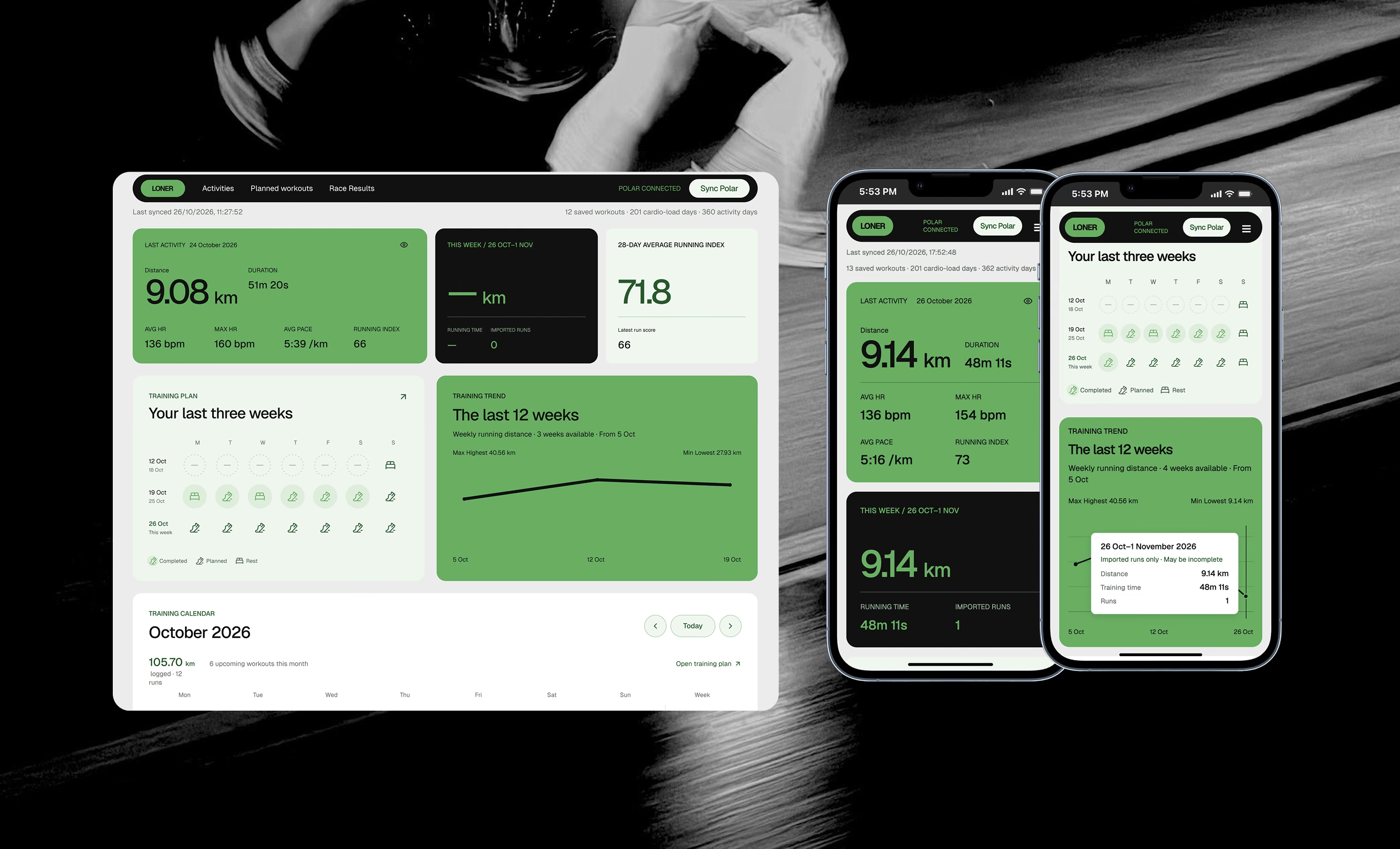
Pace desktop and mobile dashboards over a photograph of a runner

01 / MY TRAINING, IN CONTEXT

A clearer starting point.

After a run, I want a quick read on the session and the training around it. The latest activity, this week’s distance and average Running Index sit beside recent consistency and weekly volume.

  • What was my last run
  • How many km I ran so far this week
  • A snapshot of my running form
  • My last three weeks and my load in km over the past 12 weeks
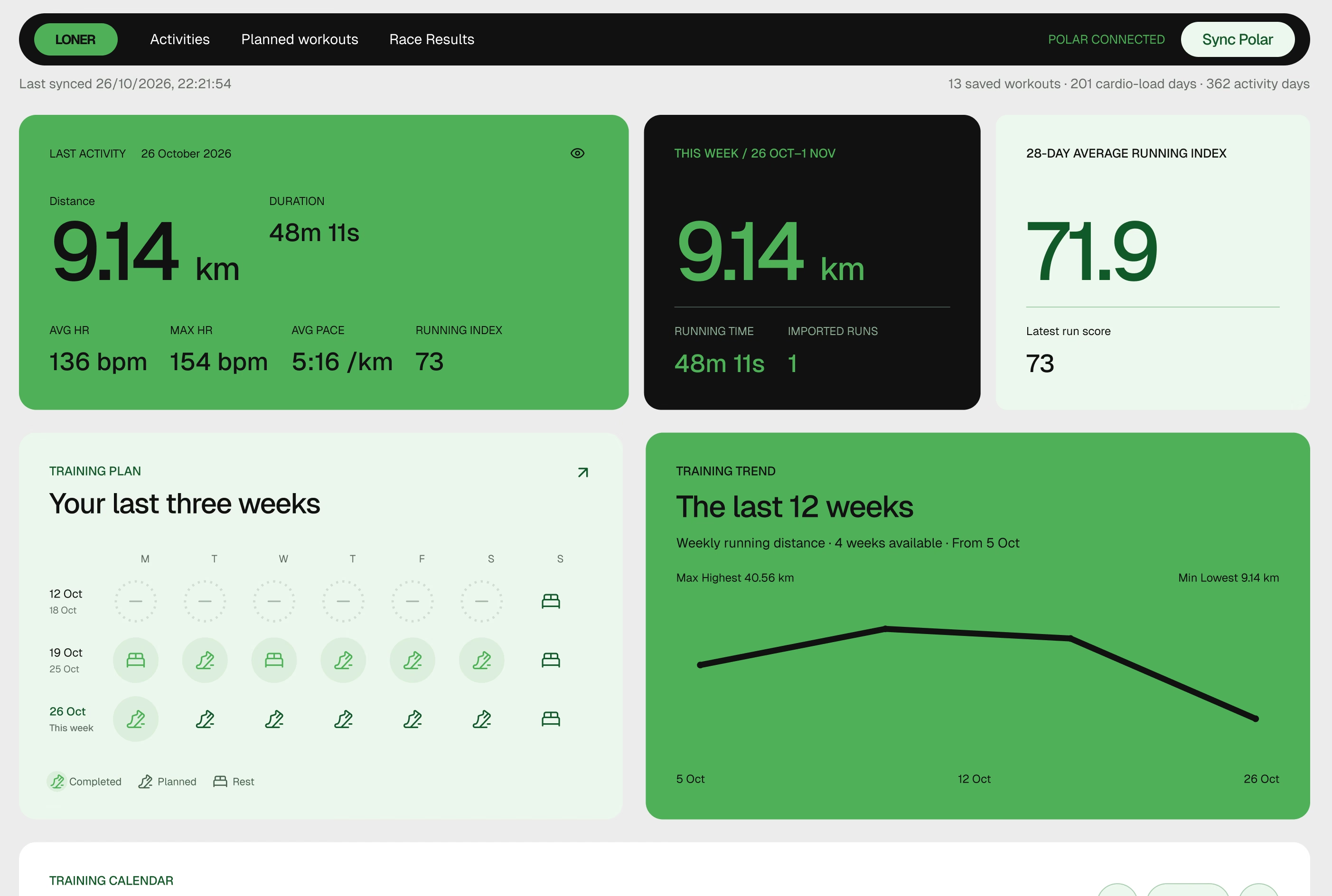
Pace overview with latest run, weekly distance, Running Index and recent training

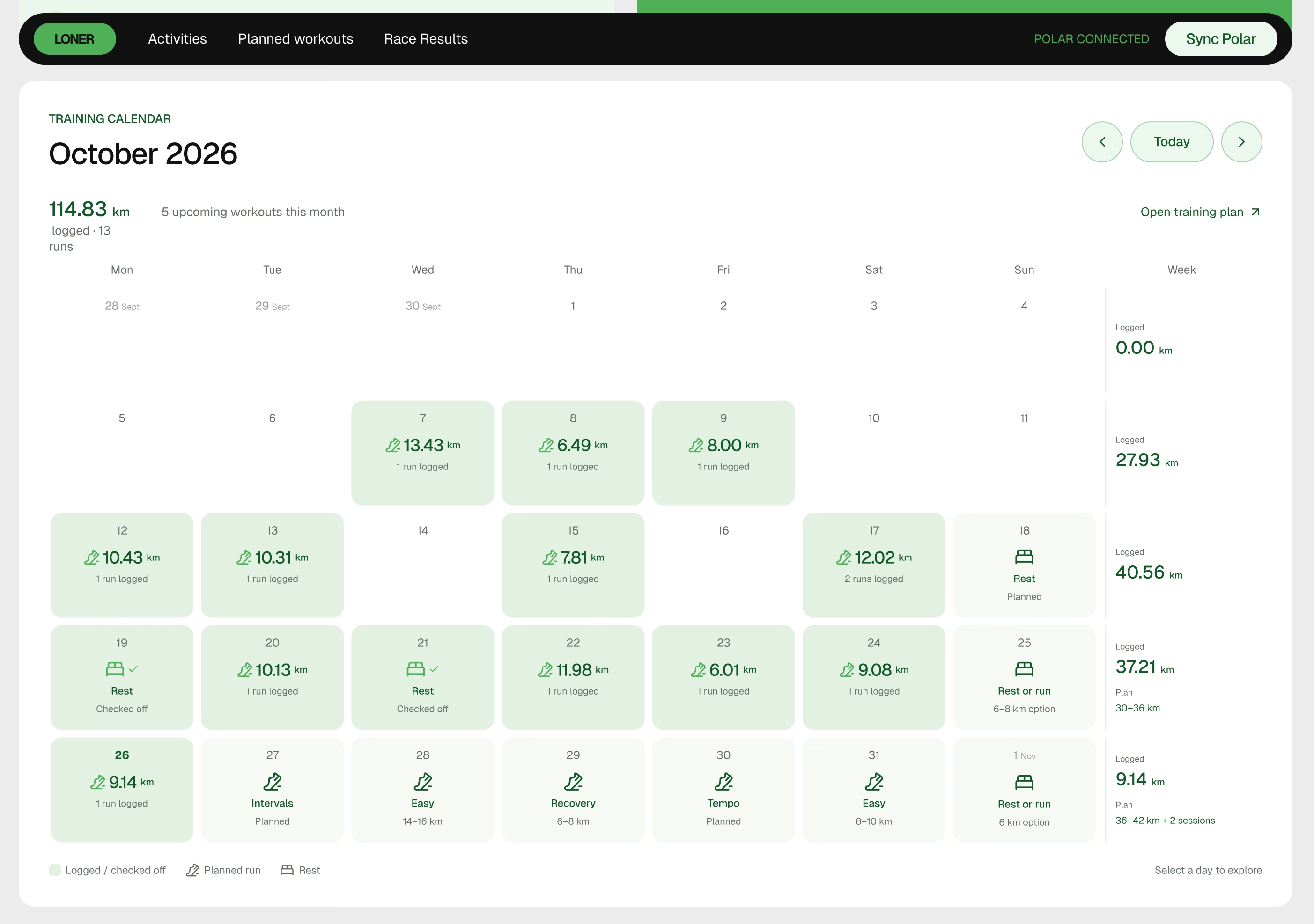
Completed runs and upcoming sessions share one view.

Allowing me to track the training block week by week while setting up for what comes next.

Pace calendar showing completed runs and upcoming sessions

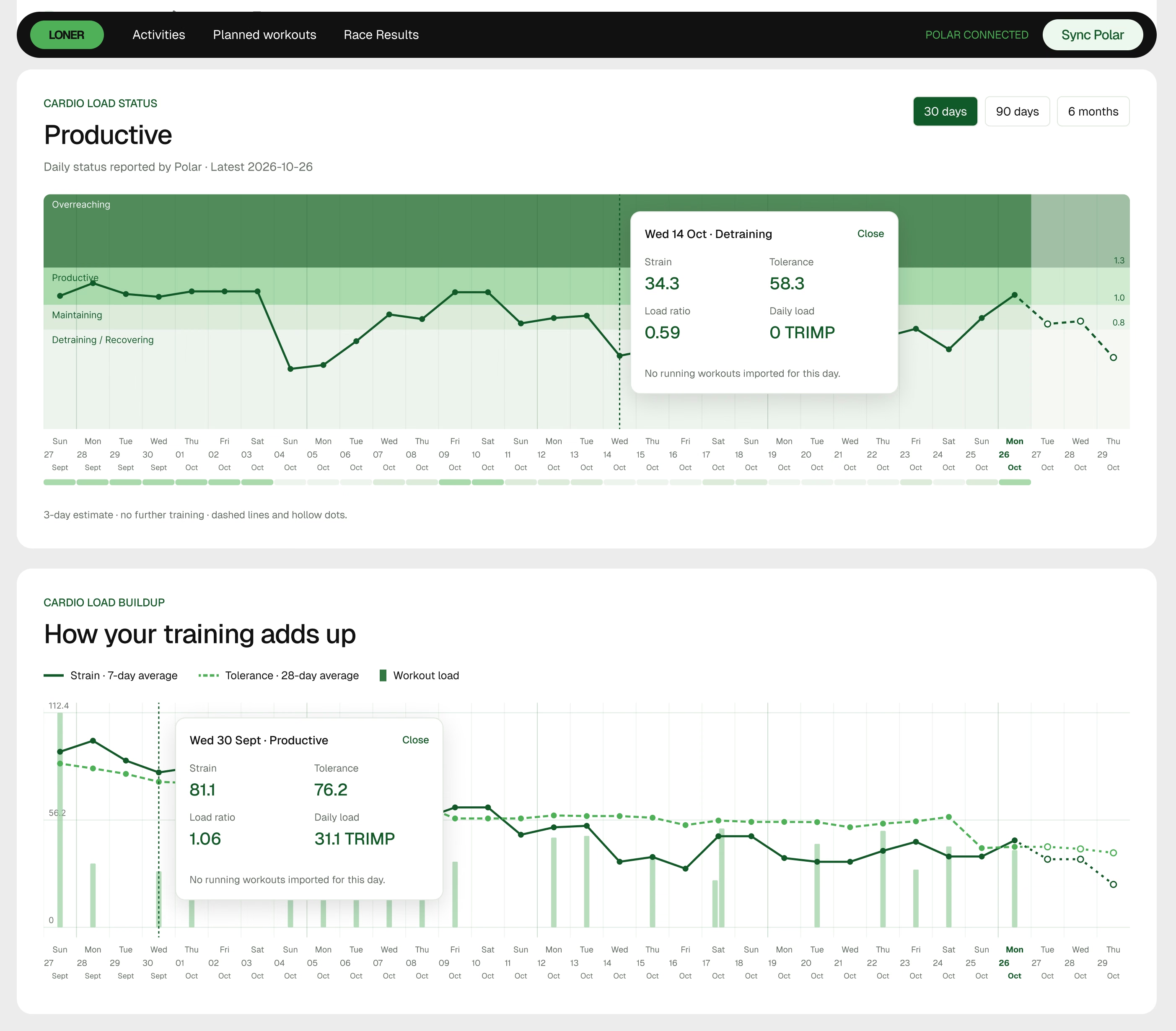
See how the effort adds up.

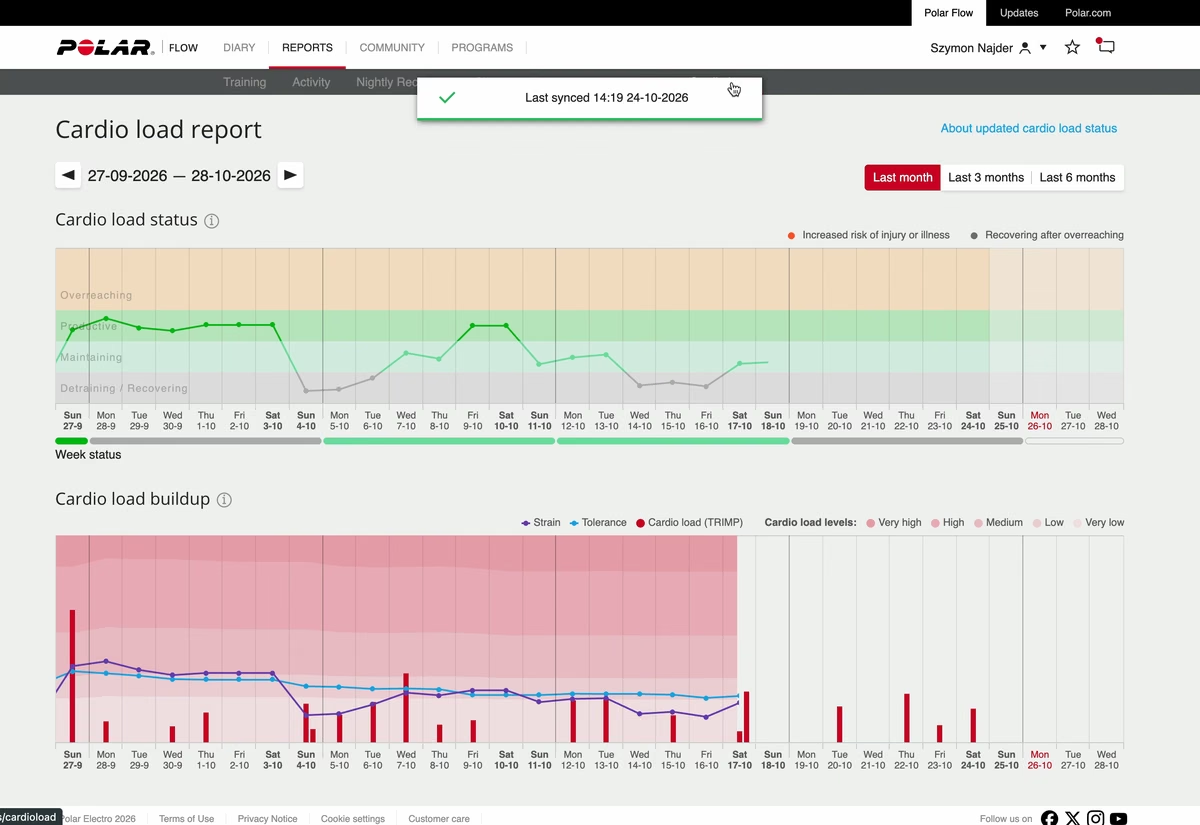
One run only tells part of the story. Seeing strain, tolerance and Cardio Load status together helps me follow how recent effort relates to the training that came before it.

Pace Cardio Load charts showing how effort has built over time

And a last zoomed out perspective.

Individual scores and a 28-day average show how running form changes over time.

Pace Running Index trend and longer view of running volume

02 / Planned workouts

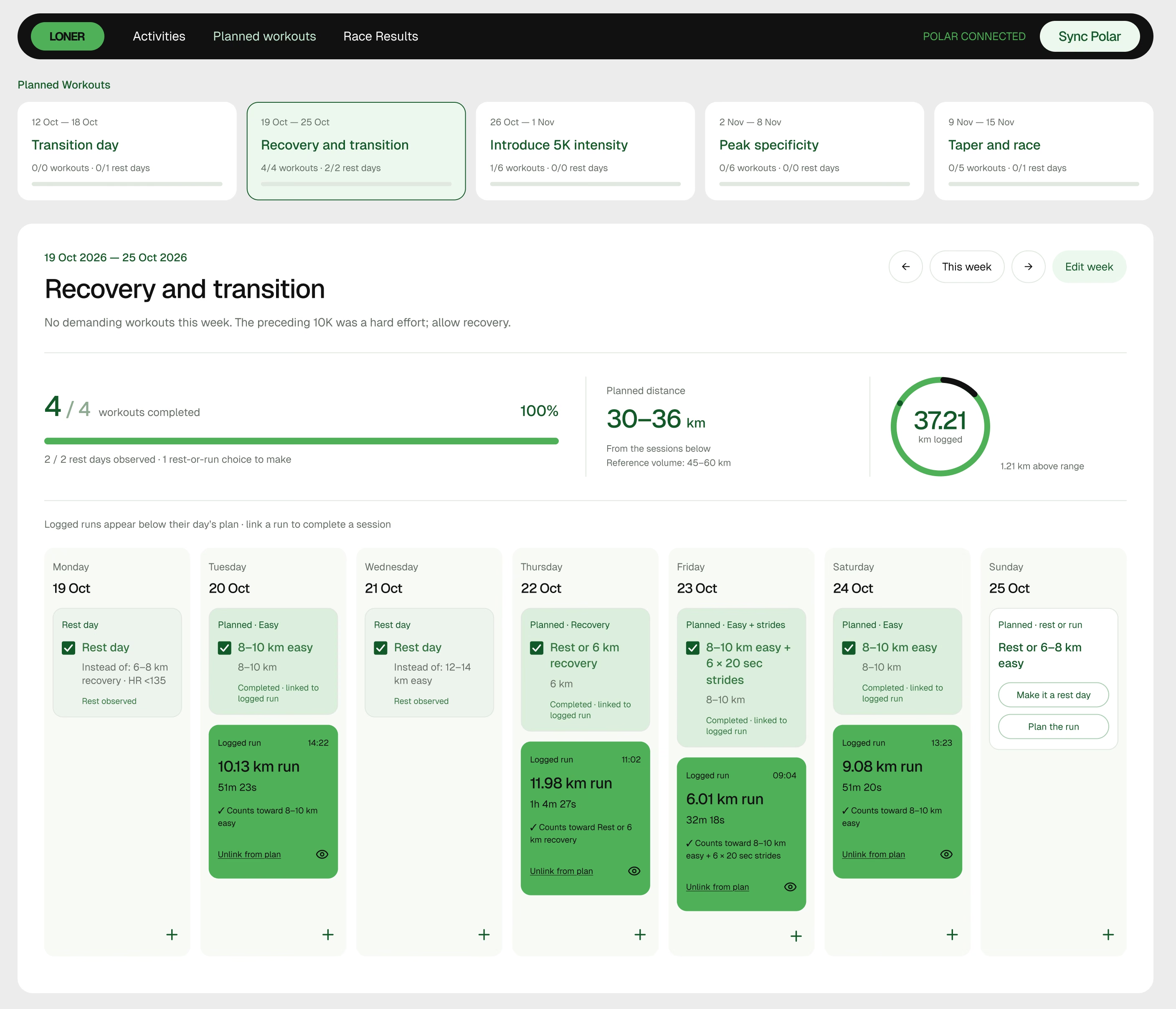
What I planned.
What I actually ran.

As the project grew, I wanted to see my training plan beside the sessions I logged. The planned-workout view keeps the week’s intention visible and lets me connect a completed run to its planned session.

Pace training plan with weekly sessions and completed runs

03 / The starting point - Polar, I love you. But seriously…

One focused run.
A lot of scattered data.

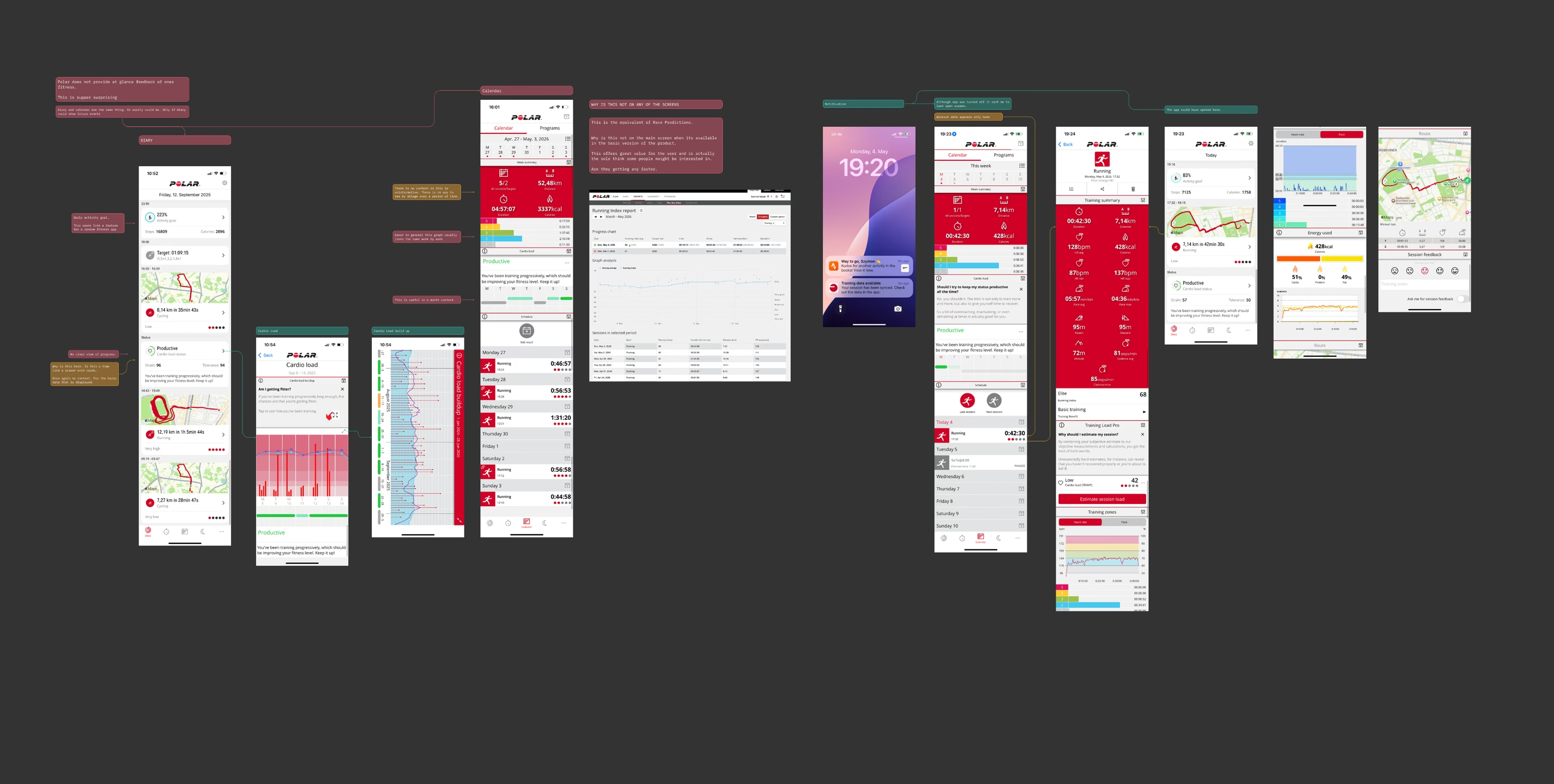
I started with a frustration in my own training. Polar recorded the information I needed, but getting a clear picture meant moving between activity details, Reports, Cardio Load and Running Index. I was piecing the story together across separate views.

Audit of Polar Flow screens and the paths between running data

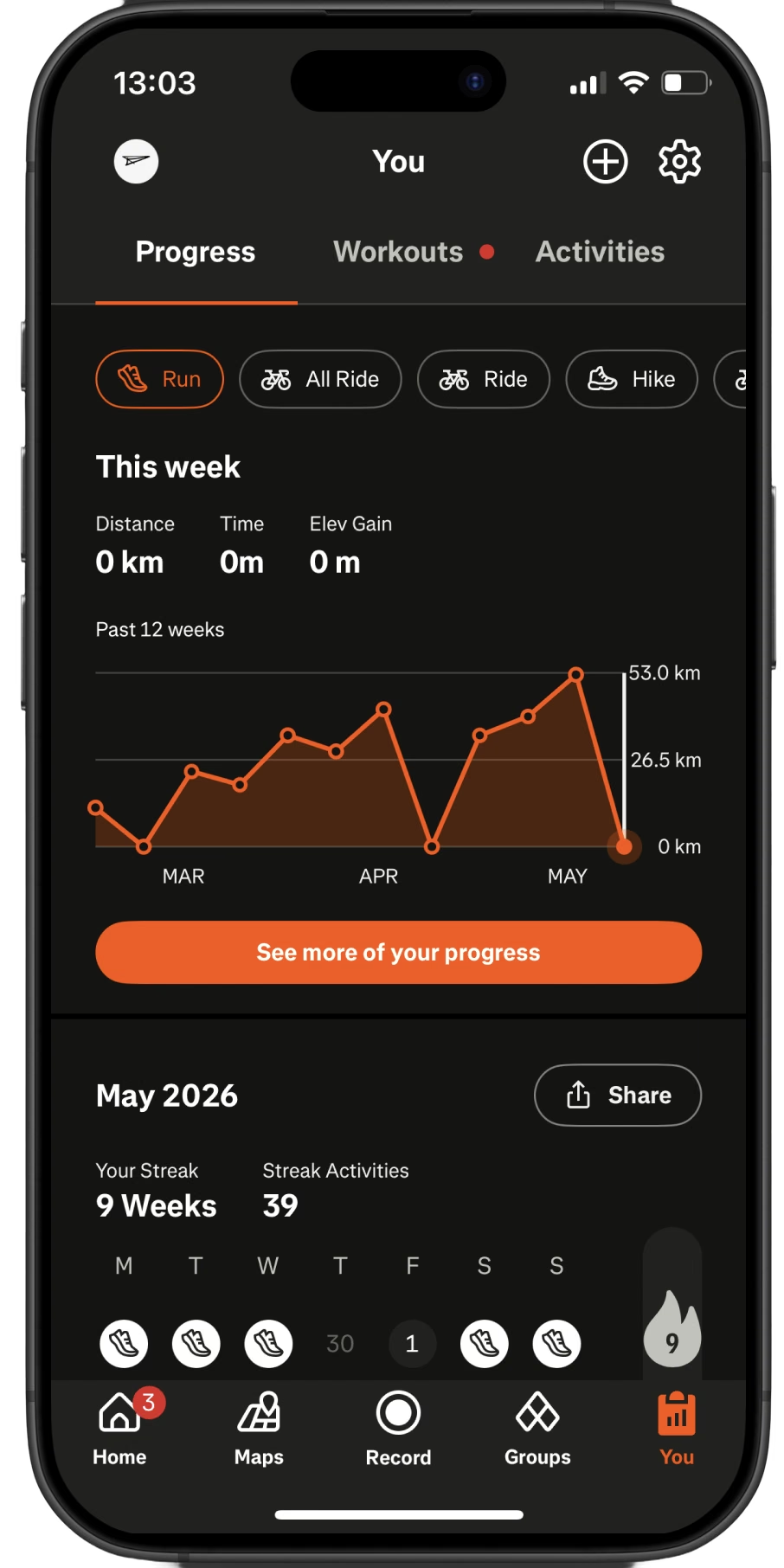
Polar doesn’t show weekly mileage. How is this possible?

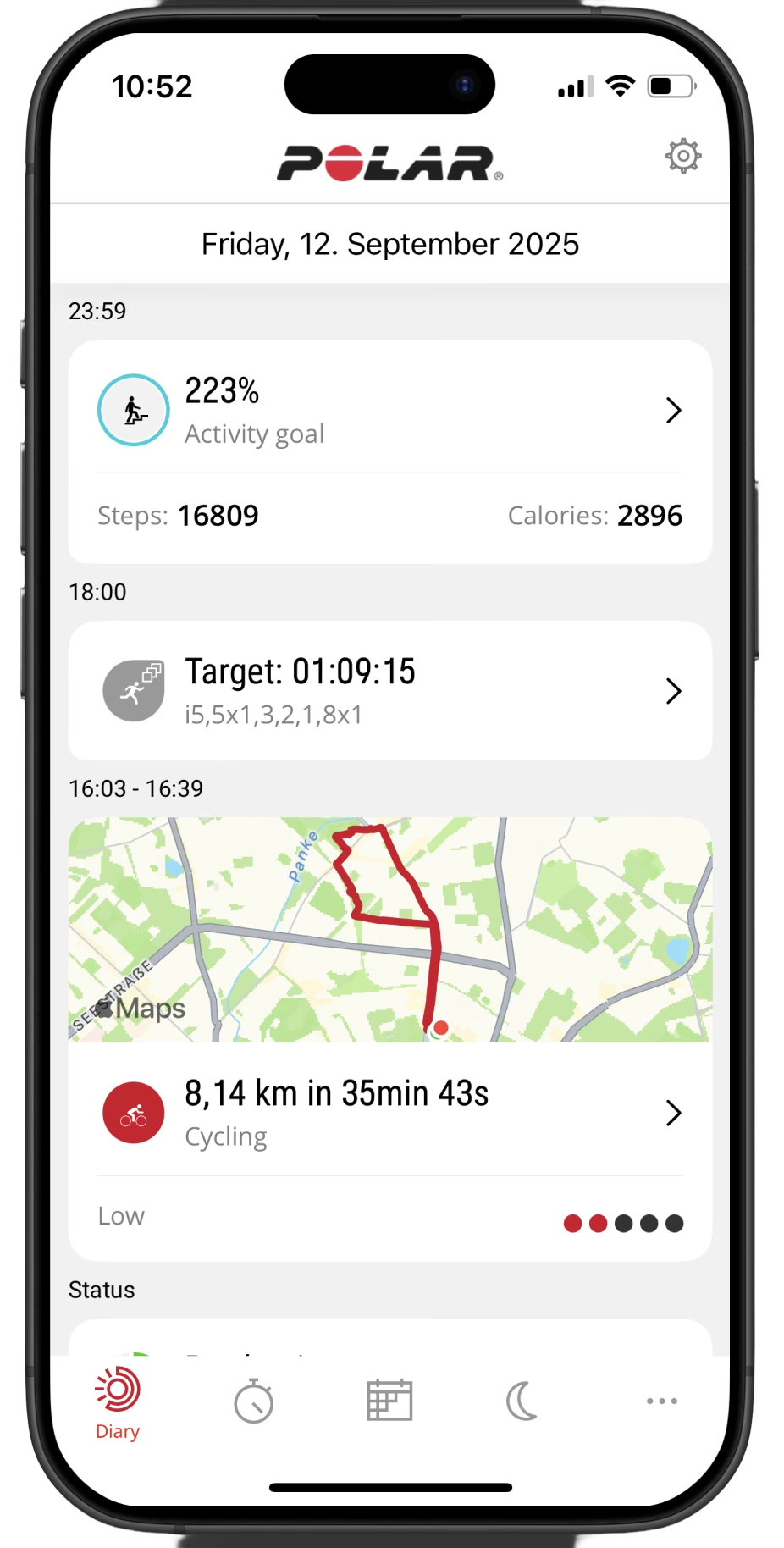
I use Strava for the basic volume view I need. To find the rest, I move between Polar’s mobile and desktop apps.

Polar mobile diary
Polar / the diary view
Strava volume view
Strava / volume in context

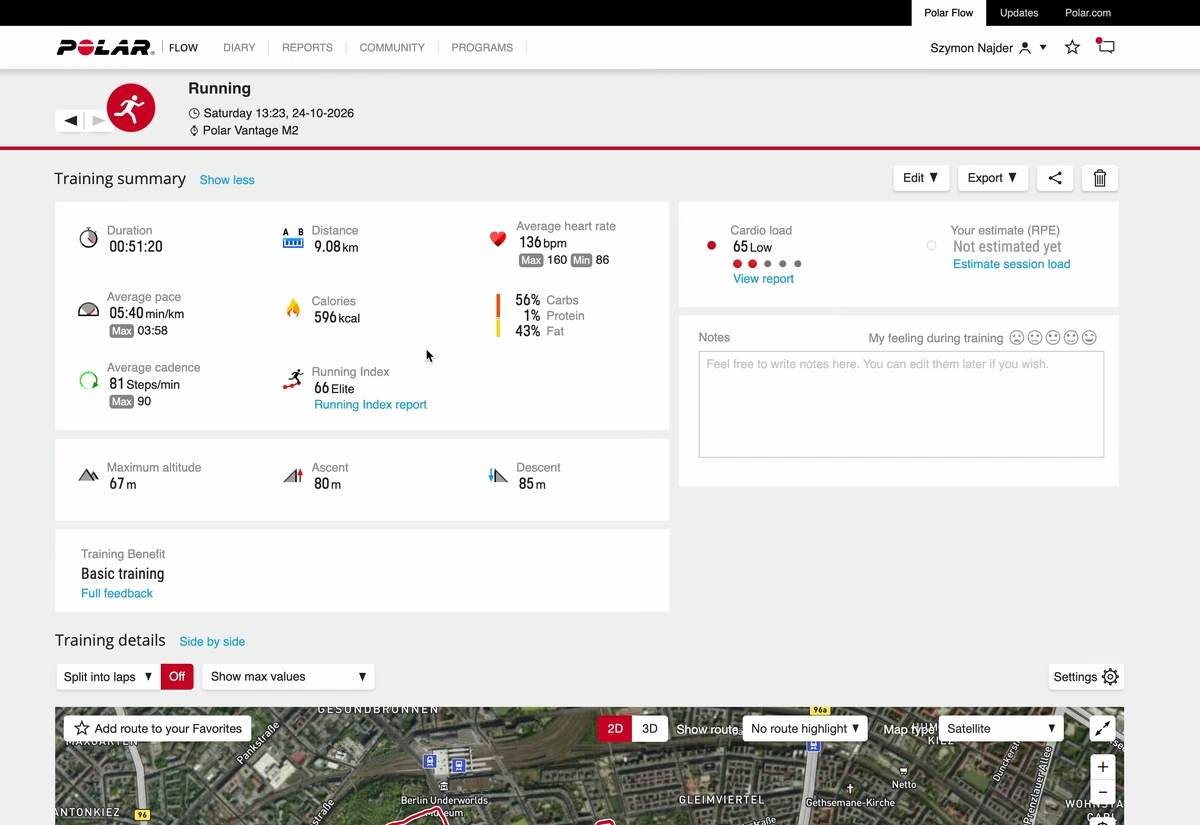
01 / Activity details

Polar activity details

What happened in this run?

Review the session summary and detailed charts.

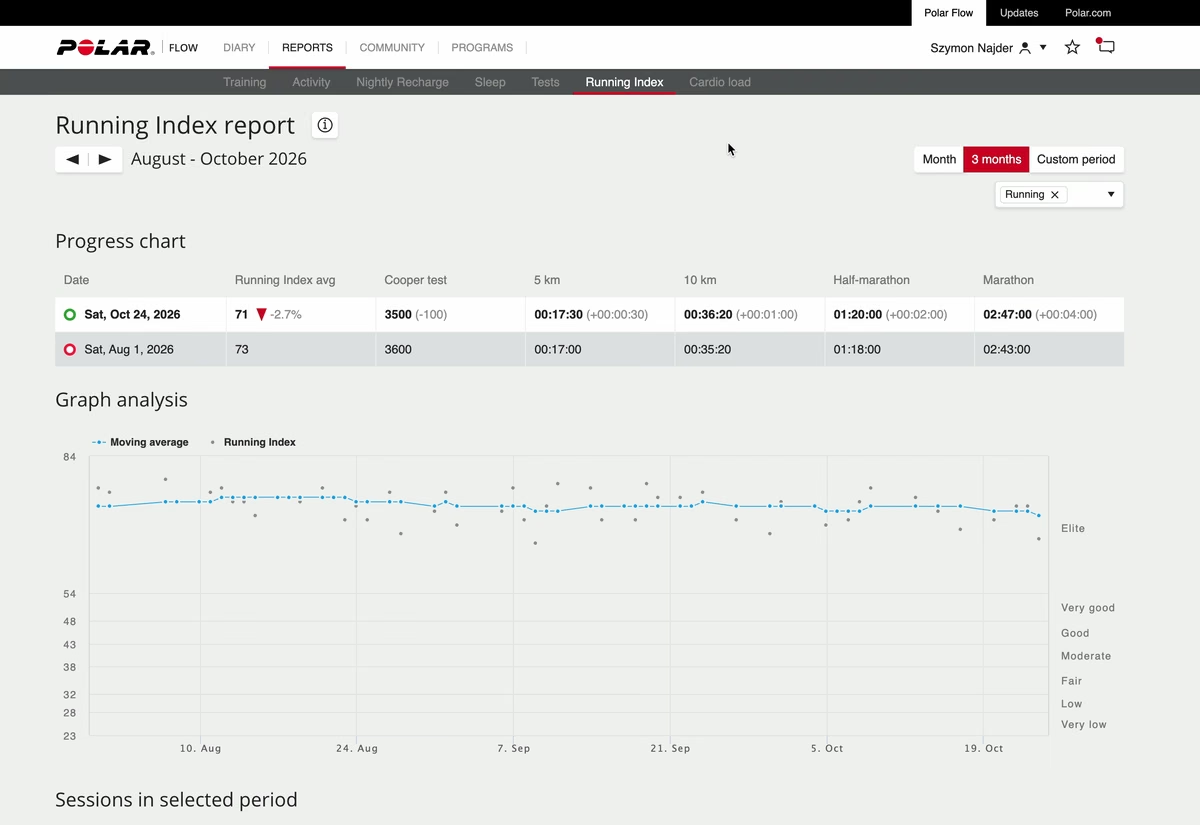
02 / Reports → Running Index

Polar Running Index report

How is my running developing?

Find the score in its longer-term context.

03 / Reports → Cardio Load

Polar Cardio Load report

How does this fit my training?

Look at load, strain and tolerance over time.

Work in progress.

Built around my running.
Learning with every iteration.

I’m building a working app, using it around my training, and continuing to refine it. Pace is where my interests in running and design meet—and where I’m learning new design and coding tools through a product I care about.

This is an ongoing personal project. The work shown captures the audit, the design direction and the interface so far.

Open Pace app← All projects